
Employee Resources FAQ
Answers to common questions about Postman and Workpal.
Postman
Broadcast messagingWhat is Postman used for?
Postman lets public officers send mass SMS and email notifications to citizens or staff quickly and securely, without needing any code.
Who can access Postman?
Any public officer with a valid work email can log in. Sending campaigns may require your agency to verify a sender ID first.
How do I send a broadcast?
Create a new campaign, upload your recipient list as a CSV, compose your message with personalisation fields, send a test message, then schedule or send immediately.
Is there a cost to use Postman?
Email is free. SMS is charged per message at government-negotiated rates and billed to your agency.
Can I personalise messages?
Yes. Use double-brace fields (e.g. {{name}}) that map to columns in your uploaded recipient file.
Workpal
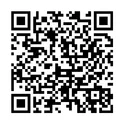
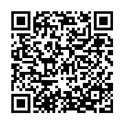
Resource bookingDownload the Workpal app
Scan a QR code with your phone camera to install Workpal, or tap a store button.
How do I find resource booking on Workpal?
Open the Workpal mobile app, tap "Book CoWork & Resource", select your agency (MINDEF/SAF), then choose your preferred location and time slot. Download the app from the App Store (iOS) or Google Play (Android).
What services are available on Workpal?
MINDEF/SAF uses Workpal for a range of services, including Access@Gov, Book CoWork & Resource, Business Card, Career Coaching, GovWallet Suite, IT Support, and QuickBuy @SGov.
I can’t find my agency (MINDEF/SAF) on Workpal. What should I do?
Ensure your app is updated to the latest version and look for MINDEF/SAF when selecting your agency. If the issue persists, go to Workpal → IT Support → Book CoWork & Resource → Other Book CoWork & Resource-related issues → Report IT issue to FormSG, and you will be directed to a form to report the issue.
Can I book resources via the web browser instead of the mobile app?
No. Workpal does not have a web browser version, so bookings can only be made through the mobile app.
Which workplaces are available for booking on Workpal?
SAF resources include Bukit Panjang Camp, Changi Naval Base (Invent Campus), Sembawang Air Base, Chong Pang Camp, Paya Lebar Air Base, Tengah Air Base and Changi Air Base (West). MINDEF resources include Depot Road Camp (DTTB), MINDEF Annex, MINDEF Building and Network Terminals Office @ CMPB. For M-Works resources, refer to the M-Works page.
Are all MINDEF/SAF resources on Workpal?
CMPB resources are listed under MINDEF/SAF Employees Experience (MEX). You can access MEX on the web at employees.defence.gov.sg or via the mobile app.
What is the check-in policy?
You may check in 15 minutes before your booking start time. If you do not check in within 30 minutes of the start time, the booking is automatically cancelled and marked as a "No-Show".
What responsible booking practices should I follow?
Book only what you need (appropriate resource size and duration), cancel or modify bookings promptly when plans change, avoid multiple consecutive or "just-in-case" reservations, and always check in and check out properly.
Who has access to Book CoWork & Resource on Workpal?
Military Regulars, DXOs, and seconded personnel have access to MINDEF’s services on Workpal. NSFs and IWF/MAC do not have access.
Why can’t I find the resource I used to book under the Book app?
Workpal contains workplace resources open to all employees. Resources open only to a limited group are not included in Workpal for booking — please contact the respective resource administrators for advice.